AI virtual staging software lets you preview your garden and outdoor space transformations digitally before spending a dollar on plants, pavers, or labor. Upload a photo of your bare yard, balcony, or patio, and the software layers in plants, furniture, hardscaping, and lighting options so you can see exactly what works and what doesn’t. For gardeners tired of guessing whether that bed of hostas will look right under the oak tree or if a gravel path suits your cottage-style vision, this technology removes the expensive trial-and-error from landscape planning.
The gardening applications have matured significantly by 2026. Early virtual staging tools were built for real estate agents showing off empty living rooms, but newer platforms recognize garden-specific needs: realistic plant growth habits, seasonal color changes, proper scale for shrubs and trees, and accurate rendering of outdoor textures like mulch, stone, and soil. You can test pollinator gardens, vegetable bed layouts, or complete yard redesigns without digging a single hole.
Choosing the right software comes down to three factors: how specialized the plant libraries are for your climate, whether the interface feels intuitive for someone without design training, and if the output quality convinces you (and possibly a contractor or your household) that the plan is worth executing. Some platforms excel at photorealism but require a learning curve. Others trade rendering polish for speed and simplicity.
This guide walks through the software categories available to home gardeners, the features that matter most when comparing options, and common pitfalls that waste time or produce unrealistic mockups. You’ll also find recommendations sorted by project type, from quick patio refreshes to full-scale landscape overhauls. If you’re exploring web-based solutions that don’t require downloads, platforms like an ai interior design app offer accessible starting points for visualizing outdoor transformations without specialized software experience.
What Makes AI Virtual Staging Software Valuable for Garden Planning

The biggest advantage AI virtual staging software offers gardeners is the ability to fail fast and cheap on screen instead of slowly and expensively in the ground. You can drag a rose bush across your virtual yard in seconds, see that it blocks the sight line from your patio, and move it before you’ve dug a single hole or spent a penny at the nursery. That instant feedback loop compresses what used to take multiple growing seasons into a single afternoon of experimentation.
Seasonal visualization changes the game entirely. Most of us have made the mistake of designing a garden that looks spectacular in May but turns into a brown void by August. AI staging tools worth their salt let you toggle through seasons, showing how your planned border will look when the spring bulbs fade, whether you’ll have summer color, and if there’s anything to see in winter. You’re essentially time-traveling through your garden’s year before planting the first perennial.
The software shines when you’re juggling competing priorities. Say you want a vegetable garden, a play area for the kids, and a dining spot, all in a modest suburban lot. You can try ten different layouts in an hour, seeing which arrangement gives vegetables enough sun, keeps the sandbox visible from the kitchen window, and still leaves room for a bistro table. Physical trial-and-error would mean moving pavers, replanting beds, and possibly giving up in frustration.
For hardscaping decisions, where mistakes are measured in thousands of dollars and jackhammers, the preview is invaluable. You’ll see whether that curved path actually improves the flow or just creates awkward planting beds, whether the patio size you’re considering feels generous or cramped, and if the retaining wall height you’re planning will dominate the space or blend in. These aren’t cheap fixes to get wrong in real life.
Key Features to Look For When Choosing AI Virtual Staging Software
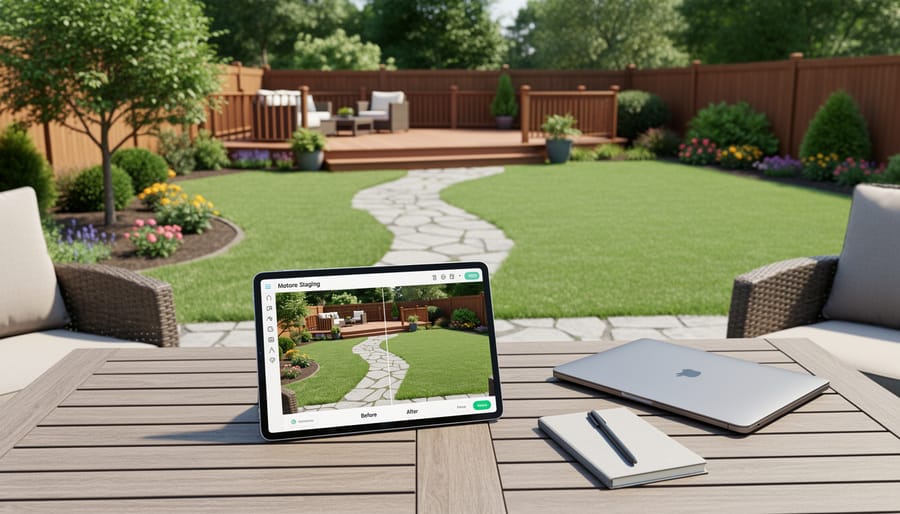
Choosing the right AI virtual staging software for your garden means looking beyond flashy demos and focusing on features that truly support outdoor design work. Not all staging tools understand gardens, so knowing what to prioritize will save you time and money.
Outdoor and Garden-Specific Templates
The software should offer templates and staging options designed for outdoor spaces, not just interiors. Look for pre-built garden scenes, patio layouts, deck designs, and yard configurations. Generic home staging software often lacks the nuanced understanding of how outdoor spaces work, things like ground cover, mulch beds, pathways, and planting zones. If the template library only shows living rooms and bedrooms, it won’t serve your garden planning needs well.
Comprehensive Plant and Landscape Object Libraries
A robust library of plants, trees, shrubs, flowers, hardscaping elements, and outdoor furniture is essential. You want access to common garden plants relevant to your region, not just generic greenery. Check whether the software includes raised beds, trellises, garden borders, stepping stones, and other elements you might use. The more varied the library, the more accurately you can visualize your actual plans, whether you’re working on irrigation system planning or designing a new perennial border.
Seasonal Visualization Capabilities
Gardens change dramatically with the seasons. Software that can show how your space might look in spring bloom, summer fullness, fall color, or winter dormancy gives you a complete picture. This feature helps you plan for year-round interest and avoid designs that only work three months of the year.
Realistic Lighting and Shadow Rendering
Outdoor spaces depend heavily on natural light. The software should accurately render sunlight, shadows, and how they shift throughout the day. Poor lighting simulation can make you misjudge which areas get full sun or shade, leading to plant placement mistakes.
Ease of Use for Non-Designers
You shouldn’t need a degree in graphic design to stage your garden. Intuitive drag-and-drop interfaces, clear tutorials, and simple editing tools matter more than complex professional features most hobbyists won’t use. Test the learning curve before committing.
Photo Upload Quality Requirements
Check what photo specs the software needs. Some tools require high-resolution images, specific angles, or good lighting conditions. If your phone snapshots won’t work, you’ll need to factor in better photography.
Customization and Flexibility
Can you adjust plant sizes, change colors, move objects freely, and tweak layouts? Rigid templates limit your creativity. Look for software that lets you personalize designs to match your specific vision and space constraints.
Export and Sharing Features
You’ll want to save your designs, share them with family, or send them to a landscaper. Make sure the software exports in useful formats (PDF, JPEG, PNG) and allows easy sharing via email or social media.
Here’s a quick feature checklist to guide your evaluation:
- Must-have: Outdoor-specific templates and garden object libraries
- Must-have: Realistic outdoor lighting and shadow rendering
- Must-have: Beginner-friendly interface with drag-and-drop functionality
- Must-have: High-quality export options for saving and sharing designs
- Nice-to-have: Seasonal visualization to preview year-round garden appearance
- Nice-to-have: Mobile app compatibility for on-site design adjustments
- Nice-to-have: Climate zone plant filtering for region-appropriate selections
- Nice-to-have: Measurement tools for accurate spacing and scale planning
Prioritize features that directly support how you’ll actually use the tool. A vegetable gardener needs different capabilities than someone redesigning a front yard, so match the software strengths to your specific project goals.
Types of AI Virtual Staging Software Compared

Understanding the different types of AI virtual staging software available helps you choose one that matches both your skill level and your specific garden planning needs. The landscape has grown quite varied, with options ranging from simple drag-and-drop tools to sophisticated platforms that can handle complex outdoor designs.
Garden-specific software focuses exclusively on outdoor spaces, offering extensive plant libraries organized by growing zones, seasonal bloom times, and mature sizes. These tools often include hardscaping elements like patios, pathways, and garden beds, plus features that simulate how your garden will look across different seasons. General home staging software, while more widely available, typically emphasizes interior design with limited outdoor capabilities. You might find basic lawn, tree, and shrub options, but the plant selection rarely goes beyond generic greenery. If your primary goal is detailed garden planning with accurate plant representation, garden-focused tools deliver far better results despite sometimes having a smaller overall market presence.
Browser-based applications let you work directly in your web browser without downloads or installations. They’re perfect for quick experiments and work seamlessly across devices, though they may require a stable internet connection and can feel sluggish with large, high-resolution photos. Downloadable applications install on your computer and often provide more processing power for handling detailed images and complex designs. They work offline once installed, which is handy if you like planning in your garden shed or anywhere without reliable connectivity.
| Software Type | Best For | Typical Features | Price Range |
|---|---|---|---|
| Garden-Specific DIY Tools | Hobbyist gardeners, homeowners | Plant libraries, seasonal views, zone filtering | Free to $15/month |
| General Home Staging Platforms | Beginners, basic outdoor updates | Limited outdoor objects, simple layouts | Free to $30/month |
| Professional Landscape Software | Small-scale designers, serious enthusiasts | CAD integration, client presentations, detailed measurements | $50 to $200/month |
| Mobile-First Apps | Casual planners, on-the-go design | Photo filters, basic plant placement, sharing | Free to $10/month |
Free versions work well for occasional projects or testing whether virtual staging fits your planning style. They usually limit the number of designs you can save, restrict access to premium plant varieties, or place watermarks on exported images. Paid subscriptions remove these restrictions and often add features like higher-resolution exports, expanded object libraries, and priority support. Most serious gardeners find that a modest monthly subscription pays for itself by preventing costly planting mistakes.
Professional landscaping software targets small business owners and advanced users who need client presentation tools, precise measurements, and detailed material lists. These platforms often integrate with CAD programs and include costing features. They’re overkill if you’re simply planning your backyard vegetable patch, but valuable if you’re tackling complex projects or helping neighbors with their gardens. Beginners should start with consumer-focused DIY tools that prioritize ease of use over technical depth, while serious hobbyists often appreciate the middle ground: garden-specific platforms with robust features but gentler learning curves than professional software demands.
Software Recommendations for Different Garden Planning Needs
When you’re ready to narrow down your software options, think about how you’ll actually use the tool rather than chasing features you might never need. A vegetable gardener mapping out productive beds needs different capabilities than someone redesigning an entire backyard, and matching software to your specific project saves time and money.
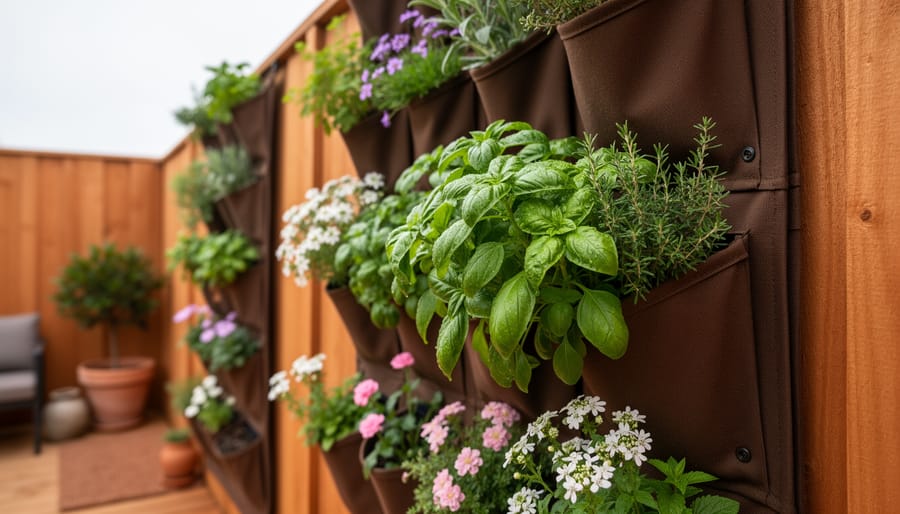
For vegetable garden layout planning, prioritize software that handles overhead or plot-view perspectives well. You want tools that let you drag and drop plant symbols or shapes to scale, showing accurate spacing between crops. The best options for this use case include measurement tools for bed dimensions and path widths, plus the ability to mark sun exposure zones. Look for software that lets you create raised bed outlines and test different row configurations. This matters especially if you’re working with vertical planting ideas or planning edible landscaping that combines food production with aesthetics. Many general staging tools fall short here because they focus on decorative plantings rather than functional garden layouts. A practical workaround: software that supports custom object libraries lets you add your own plant symbols based on mature sizes from a square foot chart giving you accurate spacing even if the program wasn’t designed for vegetables.
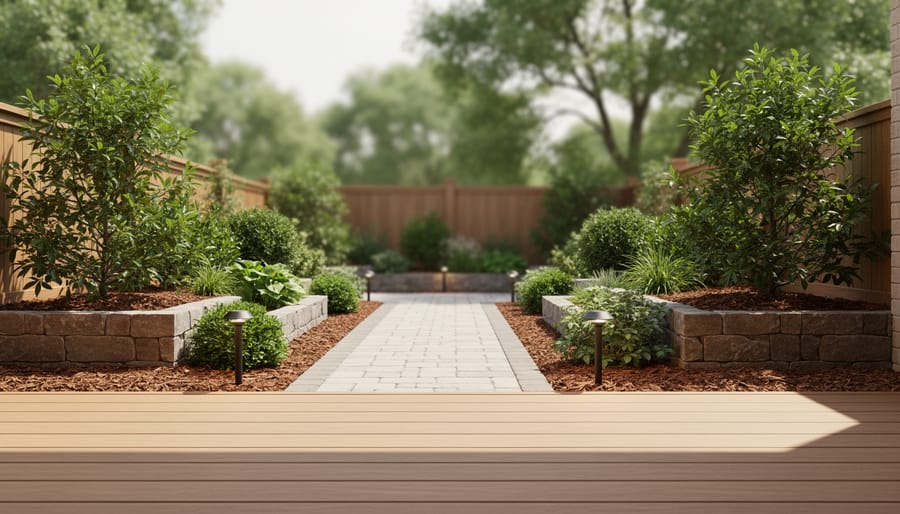
Complete yard makeover projects need software with comprehensive landscape elements beyond plants. Seek tools that include hardscaping objects like patios, decks, pathways, fencing, water features, and outdoor furniture. The ability to change terrain elevation matters if you’re dealing with slopes or planning retaining walls. Look for realistic lighting effects that show how afternoon sun hits your space versus morning shade. The strongest options for full redesigns let you layer multiple changes and switch between views easily. You should be able to experiment with different patio placements, compare stone versus wood materials, and preview how a new pergola affects the overall balance.
Small urban spaces and balconies require software that excels at detail in tight quarters. Vertical space visualization becomes critical here. The best tools for container gardening and compact areas let you stack elements vertically, show railing planters realistically, and preview corner arrangements. Look for software that handles close-up views well and includes small-scale furniture and accessories. The ability to see exactly how a narrow balcony feels with three large pots versus six smaller ones makes a real difference. Many full-yard tools feel clunky when you zoom into a 5×8-foot space, so test how the interface handles small dimensions before choosing.
Seasonal flower planning works best with software offering robust color palette tools and bloom-time visualization. You want options that let you assign colors to plant zones and swap schemes quickly. The ability to preview spring versus summer looks helps you plan succession blooms. Look for software that includes a wide variety of flowering plant shapes and growth habits, not just generic shrub symbols. Some tools let you tag plants with bloom seasons, then toggle views to see each period’s appearance.
Budget-friendly options have improved dramatically in 2026. Free browser-based tools now handle basic garden visualization surprisingly well, though they usually limit the number of projects you can save or watermark exported images. For occasional users planning one or two projects per year, free versions often provide everything you need. Look for tools that don’t require account creation for simple experiments. The trade-off with budget options: fewer plant varieties, simpler rendering quality, and sometimes ads. But if you’re just testing whether a new flower bed fits your front yard or visualizing where to put a raised bed, basic free software does the job without the learning curve of professional programs.
Common Mistakes to Avoid When Choosing Virtual Staging Software
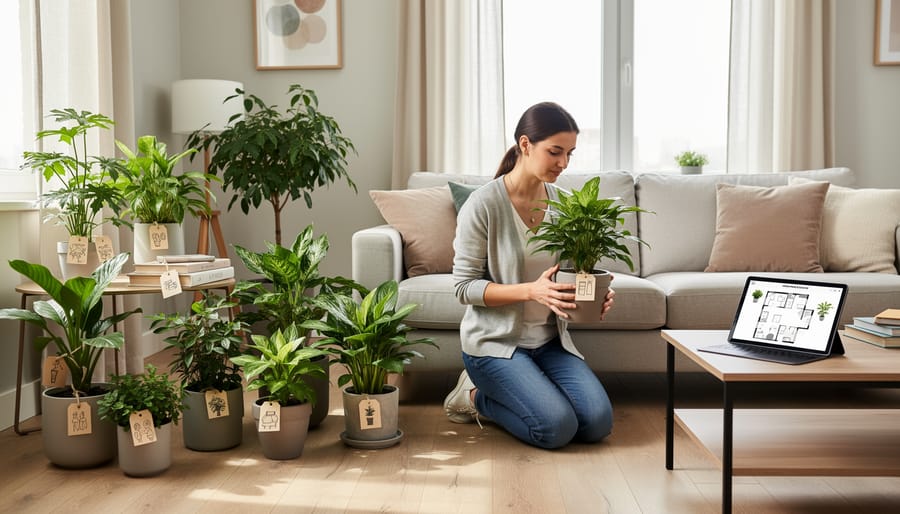
The excitement of finding AI staging software can lead to hasty decisions that cost you time and money. Many gardeners grab the first tool they see, only to discover it can’t handle their outdoor projects. Here’s what to watch out for.
Mistakes That Undermine Your Garden Planning
- Selecting indoor-only software: Most virtual staging tools were built for real estate and interior design. They lack outdoor elements like plants, mulch, fencing, and natural lighting conditions that your garden needs.
- Ignoring the plant library: A tool might promise thousands of objects, but if only fifty are actual plants, and none match your growing zone, you can’t design realistic gardens. Check whether the library includes vegetables, perennials, shrubs, and trees relevant to your climate.
- Overlooking photo quality requirements: Some software demands high-resolution images with specific lighting or angles. If your smartphone snapshots don’t meet the threshold, the AI produces distorted or unusable results.
- Paying for professional features you won’t use: Advanced tools offer architect-grade CAD integration, team collaboration, and client presentation modes. Hobbyist gardeners rarely need these, yet they drive up subscription costs significantly.
- Skipping the outdoor lighting test: Indoor staging software often fails with natural sunlight, casting unrealistic shadows or making plants look flat. Run a sample outdoor photo before committing to see if the rendering handles sun angles and seasonal light changes.
- Underestimating the learning curve: Even “beginner-friendly” tools require time to master. If you need a garden design this weekend for a nursery trip, a complex platform with tutorial videos won’t help immediately.
- Assuming all AI understands gardens: Generic AI models treat grass like carpet and shrubs like furniture. They don’t account for how soil shapes your garden seasonal growth, or plant spacing requirements.
The simplest way to avoid these traps is to test before you buy. Most platforms offer free trials or limited free versions. Upload an actual photo of your yard, try placing plants where you’d realistically grow them, and check whether the results look like a garden you could build, not a computer-generated fantasy. If the tool struggles with basic outdoor elements during the trial, it won’t improve once you’ve paid for it.
Frequently Asked Questions About AI Virtual Staging for Gardens
Can I really use these tools if I’m a complete gardening beginner? Absolutely. Modern AI virtual staging software is designed for everyday homeowners, not just landscape professionals. The best tools offer drag-and-drop simplicity, pre-made garden templates, and guided tutorials that walk you through the basics. You won’t need design training or technical expertise. If you can upload a photo and click on objects you want to add, you can create garden visualizations. Many gardeners find that starting with these tools actually builds their confidence because they can experiment freely without worrying about killing real plants or wasting money on materials that don’t work.
Do I need professional photos of my yard to get good results?
No, but you do need clear, well-lit photos taken during daylight hours. A smartphone camera works perfectly fine as long as the image isn’t blurry and shows the full area you want to plan. Take photos from the angle where you’ll actually view your garden, and avoid harsh midday shadows if possible.
Can the software account for my specific climate zone?
Most garden-focused tools include plant libraries with hardiness zone filters, allowing you to select only plants suitable for your area. However, the AI itself doesn’t automatically know your climate, so you’ll need to manually choose appropriate plants or use the zone filtering features provided.
How accurate are the plant renderings compared to real growth?
AI renderings show idealized mature plants under optimal conditions. Real plants will vary in size, color, and form based on your soil, sunlight, and care. Use the visualizations as inspiration and general proportions rather than exact predictions.
Can I share my designs with family members or a landscaper?
Yes, nearly all tools let you export images as JPGs or PDFs that you can email or text. Some also offer shareable links or the ability to save projects to cloud accounts accessible from multiple devices, making collaboration easy.
Will these tools work on my phone or tablet, or do I need a computer? Many newer AI staging platforms are mobile-friendly and work through your web browser on any device. Some even have dedicated apps for iOS and Android. That said, a larger screen makes it easier to see details and manipulate design elements, especially for complex garden layouts. You can absolutely start a design on your phone while standing in your yard, then refine it later on a tablet or laptop. Check the software’s system requirements before subscribing, as a few professional-grade tools still require desktop computers with specific processing power.
Choosing the right AI virtual staging software transforms how you plan your garden. Instead of guessing whether that rose bed will work against your fence or wondering if your vegetable layout makes sense, you’ll see your ideas come to life before spending a penny on plants or materials.
Start with your actual needs. If you’re planning a small balcony herb garden, you don’t need professional landscaping software with hundreds of features you’ll never touch. Match the tool to your project scope and your comfort level with technology. Your budget matters too, plenty of capable options exist at different price points, and expensive doesn’t always mean better for your specific situation.
Before committing to any software, test it. Most platforms offer free trials or limited free versions. Upload a photo of your actual space and experiment. Does the interface make sense to you? Do the plant renderings look realistic? Can you visualize the results clearly enough to make confident decisions? These trial runs save you from buyer’s remorse.
The best part? This technology keeps getting better and more accessible. What used to require hiring a professional designer now fits in your pocket. You can experiment with bold ideas, fix mistakes digitally instead of in your actual yard, and share your vision with family members before breaking ground.
Your dream garden starts with a clear picture of what’s possible. Now you’ve got the tools to create that picture yourself.